Last updated: October 26, 2026. This is a general guide, not legal or tax advice. Confirm statutory rules with a CA or legal adviser. Meagle 360 publishes this page and sells payroll software.
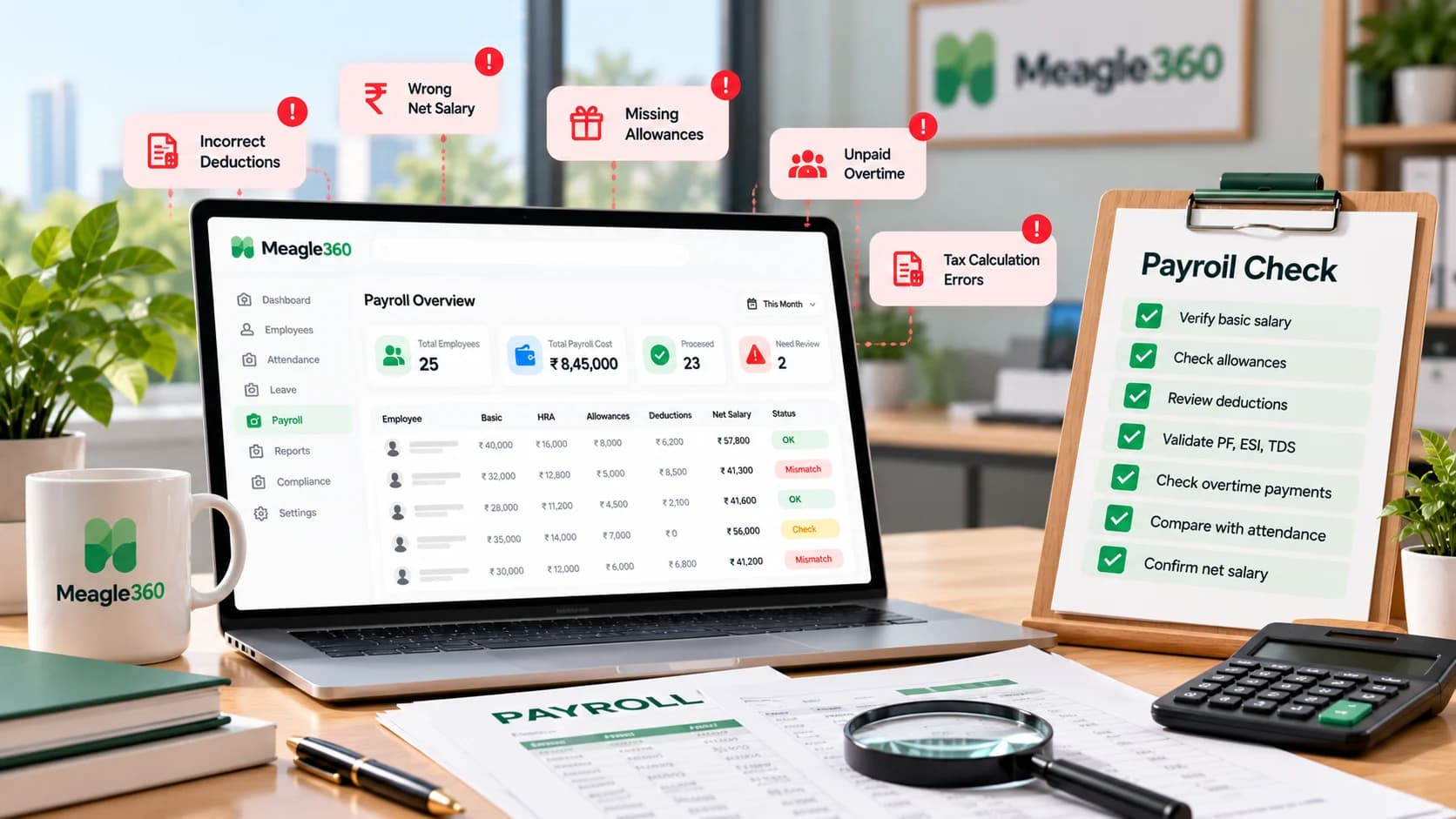
The most common signs of payroll errors are: employees repeatedly questioning payslips, totals that do not reconcile, PF or ESI challans that differ from the payroll register, wrong pay for joiners and leavers, attendance and leave that do not match salary, TDS mismatches, and duplicate or wrong employee records. Each can be checked in about two minutes with the steps below.
Most payroll errors are not dramatic. They are small, repeated and quiet, until an employee complains, a challan is short or a notice arrives. Use this page as a monthly check.
The 7 Signs at a Glance
| # | Sign | Quick check |
|---|---|---|
| 1 | Employees keep questioning payslips | Count payslip queries by reason |
| 2 | Totals do not reconcile | Gross minus deductions must equal net |
| 3 | PF or ESI challan differs from the register | Compare challan total with register column |
| 4 | Joiners and leavers are paid wrongly | Recalculate 3 mid-month cases |
| 5 | Salary does not match attendance and leave | Compare unpaid days with the attendance report |
| 6 | TDS deducted differs from TDS deposited | Match deduction totals with the challan |
| 7 | Duplicate, missing or wrong employee records | Match headcount across HR, payroll and bank file |
1. Employees Keep Questioning Their Payslips
Why it happens: a deduction or allowance is wrong, or the payslip does not explain how a number was reached.
2-minute check: list the last month's payslip queries and tag each one: wrong amount, unclear item, missing item. If more than two or three employees raised the same issue, the problem is in the structure, not the people.
Fix: correct the rule, not just the individual payslip. Add a clear breakup to every payslip. See salary slip format.
2. The Totals Do Not Reconcile
Why it happens: a formula was copied wrongly, a row was missed, or a manual change was not carried to the total.
2-minute check:
Total gross − Total deductions = Total net pay
Then recalculate 5 random employees by hand. If any one differs, check the whole column.
Fix: lock formulas, and compare the total net pay with the bank file total before releasing salary.
3. PF or ESI Challan Differs From the Payroll Register
Why it happens: the wage base was calculated differently in different places, or a joiner or leaver was added or dropped after the register was finalised.
2-minute check: compare the PF total in the register with the total on the PF ECR, and do the same for ESI. They should match. Spot-check the wage base used for 3 employees.
Fix: use one rule for the PF wage base and apply it to everyone. Pay on time: PF and ESI are due by the 15th of the next month. See our HR compliance checklist.
4. Joiners and Leavers Are Paid Wrongly
Why it happens: partial-month pay is calculated by hand, and the rules for payable days are not written down.
2-minute check: pick 3 mid-month joiners or leavers. Recalculate their salary using one stated rule, for example payable days ÷ days in the month × monthly pay. Compare with what was paid.
Fix: write one proration rule and apply it for everyone. Check that leavers' full and final settlement includes leave encashment, notice recovery and any dues.
See how payroll runs straight from attendance and leave: Payroll software
5. Salary Does Not Match Attendance and Leave
Why it happens: attendance is tracked in one place, leave in another and payroll in a third, and they are merged by hand.
2-minute check: take the attendance report and the leave report. For 5 employees, count unpaid days (LOP) and compare with the deductions on their payslips.
Fix: connect attendance, leave and payroll so salary is calculated from one source. See how payroll runs from attendance data, and how leave management feeds into it.
6. TDS Deducted Differs From TDS Deposited
Why it happens: the deducted amount was revised after the challan was paid, a PAN was wrong, or an investment declaration was applied late.
2-minute check: compare the total TDS in the payroll register with the amount on the TDS challan. Check that every employee's PAN is present and valid.
Fix: deposit TDS by the 7th of the next month, reconcile quarterly before filing Form 24Q, and fix wrong PANs early so Form 16 is correct. Form 16 is due by 15 June for the previous financial year.
7. Duplicate, Missing or Wrong Employee Records
Why it happens: the employee list lives in several sheets, ex-employees are not removed and bank details are typed manually.
2-minute check: compare three numbers: active headcount in your HR record, employees paid in payroll, and number of rows in the bank file. They must be equal. Then scan for duplicate employee IDs and duplicate bank account numbers.
Fix: keep one employee record that HR, payroll and the bank file all use. See employee database software or start with a free employee database template.
Monthly Payroll Audit Checklist (10 Minutes)
Run this every month before you release salary:
- Active headcount equals the number of payslips
- Joiners and leavers this month are paid on a stated proration rule
- Attendance and leave reports are final before payroll is run
- Total gross minus total deductions equals total net
- 5 random payslips recalculated by hand
- PF and ESI totals match the register
- TDS total matches the register
- Bank file total equals total net pay, and row count equals paid employees
- No duplicate employee IDs or bank accounts
- Changes made after the first run are noted and approved by someone else
Why Payroll Errors Keep Happening
- Manual spreadsheets. One wrong formula flows into PF, ESI and TDS at the same time. See HRMS vs Excel: when to switch.
- No single source of truth. Attendance, leave and salary live in different files.
- One person does everything. The person who prepares payroll also checks it.
- Undocumented rules. Proration, rounding, PF base and overtime are decided case by case.
- Last-minute changes. Edits after the final check are not re-verified.
What to Do When You Find an Error
- Find the cause, not only the symptom.
- Decide whether to correct in the next payroll or make an off-cycle payment, depending on the size of the error and the law.
- Tell the employee clearly what was wrong and how it was fixed.
- Fix any related statutory payment or filing (PF, ESI, TDS), and keep a record.
- Update your checklist so it does not repeat.
When It Is Time to Automate
Consider a payroll system when you spend more than a day a month on payroll, when you have had more than one error in a quarter, or when you have crossed 20 employees. A good system should calculate PF, ESI and TDS, pull attendance and leave automatically, generate payslips and keep records in one place. See our guide to HR automation for small business.
Tired of rechecking payroll every month? Meagle 360 runs payroll from your attendance data with PF, ESI and TDS built in, so you review results instead of rebuilding them. Book a free demo